 PWA · AI in the Browser
WorshipHub Captions
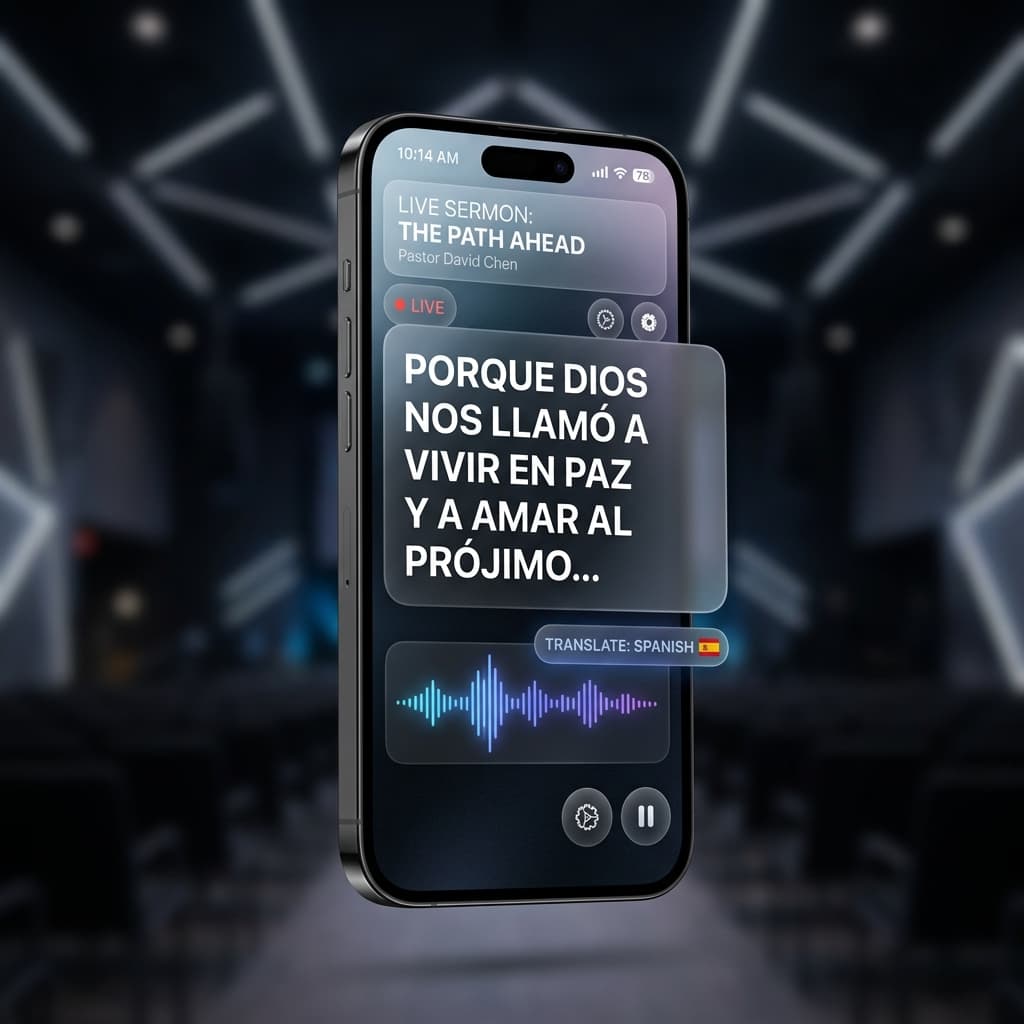
Every listener follows the sermon on their own phone, in their own language.
How to connect
1
Turn on Tools ▸ Captions App in the desktop app
2
Flash the join QR on the projector (Tools ▸ Show Join QR)
3
Listeners scan it and pick their reading language
Breaking language barriers
AI on the Listener's Phone
Opus-MT translation models run inside each viewer's browser via Transformers.js. No cloud service, no per-minute fees, unlimited listeners.
7种阅读语言
English、Español、Français、Deutsch、Italiano、Русский 和中文 —— 每位观众独立选择。约15MB的模型只需下载一次,即可离线缓存。
首次加载后可离线使用
翻译模型通过 Cache API 缓存在浏览器中 —— 下载完成后,观众的手机即使没有网络连接也能继续使用。
Interface in 9 Languages
The app shell itself is localized into nine languages and follows each phone automatically.